Fundamentals
MongoDB stores data as documents instead of rows, and once that clicks, the rest of the database makes a lot more sense. This page covers what makes MongoDB different and the core concepts you will use every day.
Introduction
If you are brand new to MongoDB, read this page top to bottom. If you have been around the database block a few times, jump to the sections you need. Either way, every example here runs in mongosh or MongoDB Compass, so make sure to try them out as you go.
A lot of this material is adapted from my book. This page collects the concepts I find myself explaining most often, in the order I would explain them.
Why MongoDB is different
Storing data is not a new problem. Four thousand years ago people were pressing tax records, inventories, and even recipes into clay tablets, and archaeologists are still digging them up. The formats have changed a lot since then, but the goal is the same: store information now and find it again later.

The first computer databases were hierarchical. Every record had a parent, like an org chart, and you found data by walking down the tree. That worked fine until the structure changed, which meant reworking how everything connected. Relational databases solved that in the 1970s with tables, rows, columns, and SQL, and they have powered a huge slice of computing ever since.
Relational databases come with a built-in assumption, though: related data lives in separate tables, and you reassemble it with joins every time you need it. Take a sports league. Players in one table, teams in another, stadiums and games in their own. Want one page showing a team, its roster, and its next match? That is a join across four tables:
SELECT p.number, p.last_name, t.team_name, g.date, s.stadium
FROM players p
JOIN teams t ON t.id = p.team_id
JOIN stadiums s ON s.id = t.stadium_id
JOIN games g ON g.team_id = t.id
WHERE g.id = 12;
MongoDB takes a different approach. If your application thinks about a team as one thing, you can store it as one thing: a document.
{
  "team": "England",
  "rank": 5,
  "stadium": {
    "name": "Wembley Stadium",
    "capacity": 90000
  },
  "players": [
    { "number": 7, "last_name": "Saka", "goals": 12 },
    { "number": 10, "last_name": "Kane", "goals": 41 }
  ],
  "schedule": [
    {
      "type": "game",
      "date": { "$date": "2023-05-18T16:00:00Z" },
      "opponent": "Faroe Islands",
      "score": { "for": 8, "against": 1 }
    }
  ]
}
One query returns the team, its stadium, its roster, and its schedule, with no joins needed. This is the golden rule of MongoDB: data that goes together, lives together.
That does not mean everything gets crammed into one giant document (more on when to embed and when to reference below). It just means you are not required to split your data into separate tables before you can store it.
Documents
A document is a set of field and value pairs inside curly braces. If you have written JSON or a JavaScript object, you already know the syntax:
{
  "_id": { "$oid": "633a07684a5db24108dee9fa" },
  "userId": 123,
  "title": "I am a string",
  "date": { "$date": "1981-09-07T00:00:00Z" },
  "colors": ["Red", "Yellow", "Green"],
  "me": { "name": "Mahika Mali", "email": "[email protected]" }
}
Under the hood MongoDB stores documents as BSON (binary JSON), which supports more types than plain JSON: real dates, several number types, binary data, and the ObjectId we will meet in a moment. Strings are UTF-8. Numbers resolve to integers, longs, or decimals on their own. Dates are stored as UTC datetimes, so you are not decoding whether 5/10 means May or October at query time.
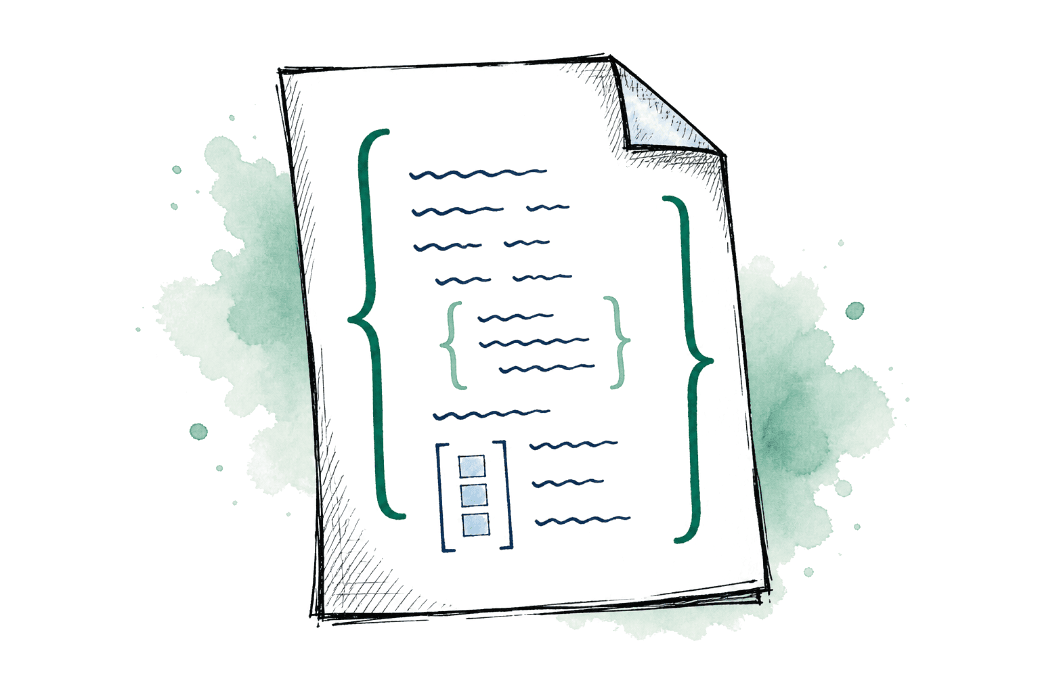
Values can be arrays, arrays can hold objects, and those objects can hold more arrays. A document nested inside a document is usually called a subdocument, and you will use nesting like this all the time when modeling real data. Here is a more realistic document, an old family recipe:
{
  "_id": "recipe:apple-pie",
  "title": "Apple Pie",
  "servings": 8,
  "prep_time": 25,
  "cook_time": 45,
  "ingredients": [
    { "name": "granny smith apples", "amount": { "quantity": 6 } },
    { "name": "granulated sugar", "amount": { "quantity": 0.75, "unit": "cup" } },
    { "name": "cinnamon", "amount": { "quantity": 1, "unit": "tbsp" } }
  ],
  "directions": [
    "Preheat oven to 425 F",
    "Mix apples with flour, spices, sugar and lemon juice",
    "Bake 45 minutes"
  ],
  "rating_avg": 4.8,
  "type": "Dessert",
  "tags": ["traditional", "4th of July"]
}
Notice rating_avg. That value is pre-calculated from individual ratings and stored on the document, so the recipe page never computes it on the fly. Storing data the way you plan to read it is a pattern that comes up again and again in MongoDB.
- Field names are strings, and
_idis reserved for the primary key. - Fields are ordered, and a document can technically repeat a field name, but please do not!
- The maximum document size is 16 megabytes. For perspective, that is roughly six full copies of War and Peace in a single document. If you genuinely need more (large files, images), GridFS handles the chunking for you.
The _id and ObjectId
Every document has an _id field, and it must be unique within its collection. It is the primary key: the one value that identifies this document and no other.
If you do not supply one, MongoDB generates an ObjectId for you. An ObjectId is 12 bytes: 4 bytes of timestamp, 5 random bytes, and a 3-byte counter. The timestamp part means every autogenerated id knows when its document was created:
ObjectId("633a072f4a5db24108dee9f9").getTimestamp()
// ISODate("2022-10-02T21:48:31.000Z")
That is why you can sort documents by creation time without ever adding a created_at field.
You can also bring your own _id, as long as it is unique. The recipe above used recipe:apple-pie, a readable slug-style id that other documents can point at without a lookup. Most of the time the autogenerated ObjectId is the right call, but you are not required to use it.
Collections
Documents live in collections, which are similar to tables in a relational database, except they do not force a fixed structure. A collection does not enforce a schema by default. One document can have fields the next one does not, which is really handy when your data changes over time (and it always does!).
That flexibility does not mean anything goes, though. When a collection's shape matters, you can attach schema validation and let MongoDB enforce the rules on every insert and update:
{
  "$jsonSchema": {
    "required": ["title", "type"],
    "properties": {
      "title": {
        "bsonType": "string",
        "description": "Must be a string, and is required"
      },
      "type": {
        "enum": ["Breakfast", "Dinner", "Dessert"],
        "description": "Must be a valid type, and is required"
      }
    }
  }
}
There are also specialized collections: capped collections that recycle their own space, time series collections tuned for measurements over time, and GridFS for files bigger than the document limit. You probably will not need them on day one, but it is good to know they exist before you build one yourself.
Embed or reference
The big modeling question in MongoDB is not "what are my tables". It is: does this data belong inside the document, or in its own document with a reference?
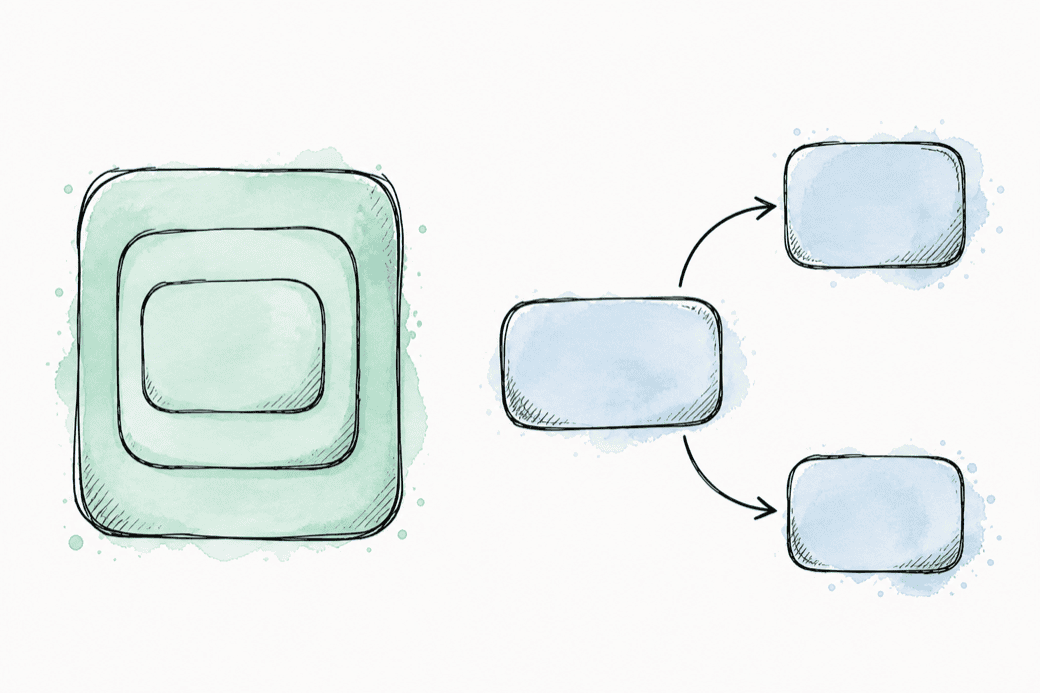
Embed when you read the data together. The team document earlier embeds the stadium and roster because the team page shows all three every time. Reference when data is shared, unbounded, or read on its own. Here is a user profile that does both:
{
  "_id": { "$oid": "633b7b644a5db24108dee9fc" },
  "first_name": "Grace",
  "last_name": "Hopper",
  "email": "[email protected]",
  "address": {
    "street": "321 Minor Street",
    "city": "Seattle",
    "state": "WA",
    "zip": "80921"
  },
  "recipe_favorites": [
    "recipe:apple-pie",
    "recipe:chicken-tacos"
  ]
}
The address is embedded: it belongs to Grace and gets read with her profile, and storing it as an object is much nicer to work with than one long string. The favorites are references: each string is the _id of a recipe document. Embedding a full copy of every favorited recipe would bloat the profile and go stale the moment a recipe was edited.
There is no single right answer here. Model around how your application reads and writes the data, not around a normalization rulebook. If a page can load with one query instead of five joins, that is a good sign your model matches how your application actually works.
Querying
The best way to understand querying is to start with plain English. Say you have half an hour and a refrigerator containing exactly one chicken: "Find me recipes for chicken that I can cook in 30 minutes or less." That sentence is already a MongoDB query. It just needs a little translation:
db.recipes.find({ "title": "Chicken", "total_time": { $lte: 30 } })find() takes a filter document. Plain field and value pairs match exactly, and query operators (they start with $) express everything else. $lte means "less than or equal to". There are operators for greater than ($gt), membership ($in), existence ($exists), and plenty more.
A second document controls which fields come back, called a projection. This keeps your results smaller and means less data going over the wire:
db.recipes.find({ "type": "Dessert" }, { "title": 1, "cook_time": 1 })find() does not hand you every matching document in one lump. It returns a cursor, a pointer into the result set that you iterate to pull documents as you need them. With a handful of documents you will never notice, but with millions it makes a big difference.
One gotcha worth learning early: string matches are case sensitive, so searching for "toast" will not find a recipe titled "Toast". $regex with the i option gets you a case insensitive match, though it comes at some cost to index efficiency. If you search a field all the time, storing a lowercased copy of it is the cleaner fix:
db.cookbook.find({ "title": { $regex: /toast/i } })Updates and arrays
Creating documents is insertOne() and insertMany(), and they do what they say. Updating is where MongoDB gets interesting, because update operators can reach inside a document, and inside its arrays, without pulling the whole thing out and writing it back.
$set changes fields, and $push appends to an array. Let's add one tag to the apple pie:
db.cookbook.updateOne(
  { "_id": "recipe:apple-pie" },
  { $push: { "tags": "fall favorite" } }
)
Adding several items at once is where a lot of people get confused, because pushing an array pushes the whole array as a single nested element. Make sure to use $each instead:
db.cookbook.updateOne(
  { "_id": "recipe:apple-pie" },
  { $push: { "tags": { $each: ["new", "hot"] } } }
)
From there, $sort and $position keep arrays ordered as you modify them, and $pull removes matching elements. Arrays get a lot of attention in MongoDB, and learning these operators will save you a lot of time.
Aggregation pipelines
Sometimes the question is bigger than "find me matching documents". Maybe you want counts, totals, or averages across groups of documents. That is what the aggregation pipeline is for. A pipeline is a series of stages, and documents flow through them like an assembly line: each stage filters, reshapes, or summarizes what the previous stage produced.
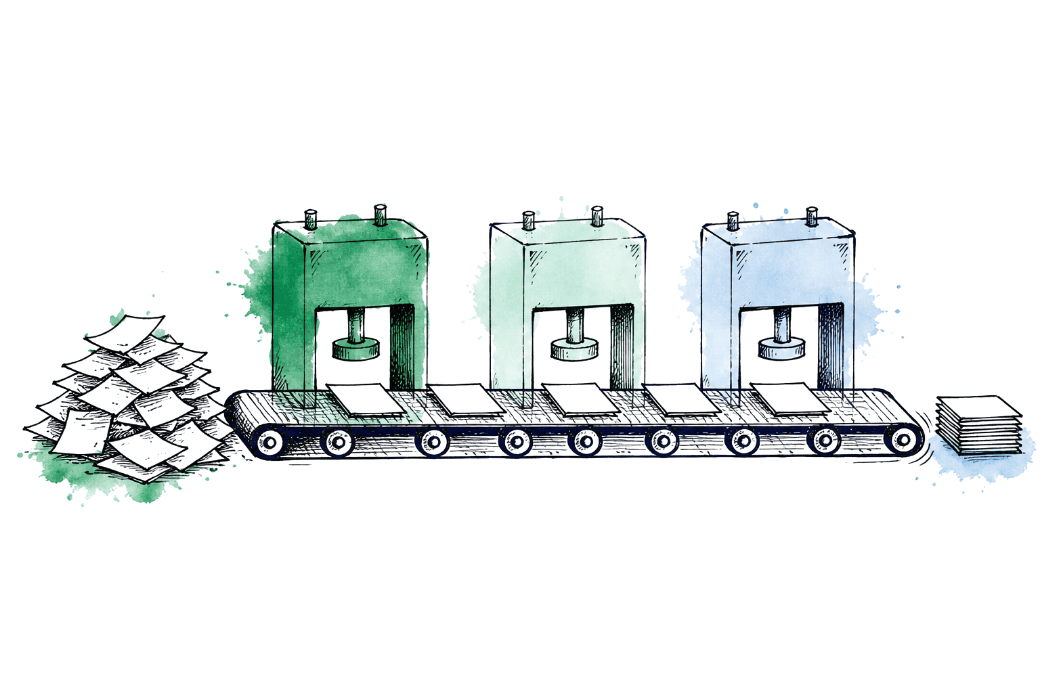
People get excited about stages like $group and $lookup, but the most important stage in most pipelines is the simplest one: $match. It cuts down the number of documents flowing into everything after it, so make sure to match early and often!
Here is a pipeline that counts recipes by meal type, then sorts the results:
db.cookbook.aggregate([
  { $match: { "rating": { $exists: true } } },
  { $group: { "_id": "$type", "recipeCount": { $count: {} } } },
  { $sort: { "_id": 1 } }
])
// [
//   { _id: 'Breakfast', recipeCount: 2 },
//   { _id: 'Dessert', recipeCount: 1 },
//   { _id: 'Dinner', recipeCount: 3 }
// ]
Inside $group, the _id is the field you group by. "$type" with the dollar sign means "the value of the type field". And $group only groups. If you want the results in order, that is $sort's job, which is why it gets its own stage. With enough stages you can answer just about any question about your data without exporting it to another tool.
Indexes
An index in MongoDB works like the index in the back of a book. Instead of reading every page to find the topic you want, you jump straight to the pages listed. Without one, a query reads the whole collection, document by document. That is fine for a small cookbook collection, but really slow once you have millions of documents.

You have been using an index all along: _id is automatically indexed in every collection. Adding your own is one command:
db.cookbook.createIndex({ "type": 1 })

db.cookbook.createIndex({ "type": 1, "cook_time": -1 })
The 1 means ascending and -1 descending. The second example is a compound index: it covers queries that filter or sort on type and cook_time together, and the order of the fields in the index matters. Unique indexes add a constraint on top of the speed: no two documents can share the same value, which is exactly how _id behaves.
Indexes are not free. Each one costs something on every write, so build them for the queries you actually run. explain() shows whether a query used an index or scanned the collection, and getting comfortable reading query plans is one of the best habits you can build for keeping a database fast.
Scaling and durability
Everything above works the same on your laptop and on a production cluster, which is a big part of MongoDB's appeal. When you need more capacity or more safety, there are two features to know about.
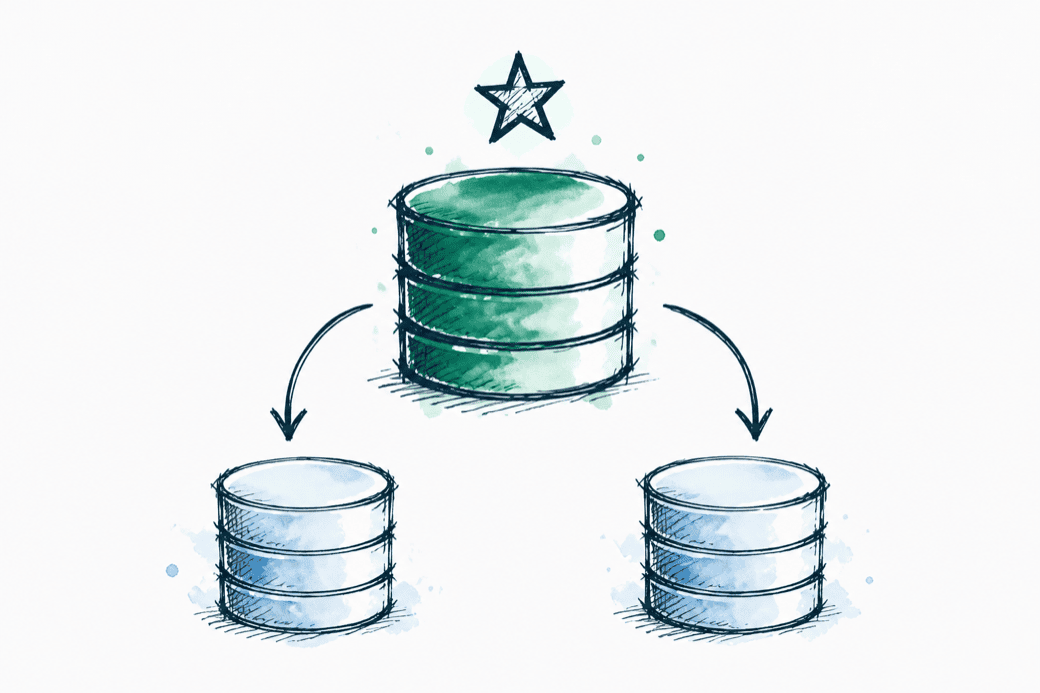
Replica sets keep copies of your data on multiple servers. One primary takes the writes and records every operation in the oplog; secondaries replay that log to stay current. If the primary goes down, an election promotes a secondary and things keep running. This is the default deployment for anything you care about.
Sharding splits a large dataset across multiple replica sets, so no single machine has to hold or serve all of it. MongoDB routes each query to the right shard based on a shard key you choose, so make sure to choose it carefully!
You do not need either one to learn MongoDB, but make sure you know they exist. When your data outgrows one machine, these are the features you will use to grow with it.
Keep going
Once you have these concepts down, the articles are the best next step. Each one takes a piece of this page and works through it with real data and runnable examples.